The thread that ties your field team together.
Sutra is a unified workforce operations platform for deskless, field-based teams. One mobile-first app, deployed from your own domain, replaces a tangle of consumer apps, spreadsheets and paper.
Installs as a PWA from your own domain — no App Store, no Google Play, no review queues.
- PWA · No app store
- Your domain · Your data
- GPS · Geofence · Audit-grade
- UK-hosted · GDPR
Field teams run on duct tape.
Comms
WhatsApp groups for shift updates. Personal phone numbers shared in DMs. No record of who read the safety memo. When someone leaves, the institutional knowledge goes with them.
Time & attendance
Paper timesheets at the end of the week. Buddy-punching. Disputes about when someone actually showed up. Managers spending hours reconciling hours that should have been captured automatically.
Onboarding & compliance
Folders of scanned certificates that nobody can find when needed. New hires shadowing for a week because there's no structured onboarding path. Audits that take days to prepare.
One platform. One install. Every operation visible.
The name sutra— Sanskrit for “thread” — captures the product's role: the connective fabric tying a distributed team's day-to-day operations together. Notices, shifts, clock-in records, internal chat, employee directory, training, and field forms all live in one place, on every field worker's phone, instantly accessible from any browser.
Sutra is built mobile-first and deploys directly from your own domain — not through the App Store or Google Play. That means zero-friction rollout, no gatekeepers between you and your team, and a fully branded experience under your URL.
Connect. Coordinate. Empower.
Connect
Replace your scattered WhatsApp groups with structured company comms. Broadcast announcements with read receipts that prove the message landed. Run 1:1 chats with workers, group conversations for shift teams, and segment-targeted broadcasts — all auditable, all secure.
Coordinate
Schedule shifts and let workers accept or decline directly on their phone. GPS-verified clock-in with geofencing so you know who's actually on site. Run ad-hoc events — exhibitions, pop-ups, temporary venues — through dynamic QR tags that you can rebind to any location without reprinting.
Empower
Bite-sized mobile training paths, compliance quizzes, and a centralised knowledge base mean new hires reach competence faster. A directory that's a digital phonebook — internal team, external clients, key suppliers — keeps every contact one tap away.
Built for the way modern operations actually run.
The legacy way
- Workers download an app from a public store
- Per-seat pricing that punishes you for growing
- Your data lives in someone else's CRM
- Generic interface that has nothing to do with your brand
- Mobile app needs an internet round-trip for everything
- App-store approvals slow down every release
The Sutra way
- One link from your own website — installs as a PWA in 5 seconds
- Flat platform pricing
- Your data, your database, your domain
- Sutra is configured to look and feel like your product
- Mobile-first PWA works in degraded connectivity
- You push, your team gets it — no review queues
Nine modules — one product.
From clock-in to clean weekly report.
The shift starts
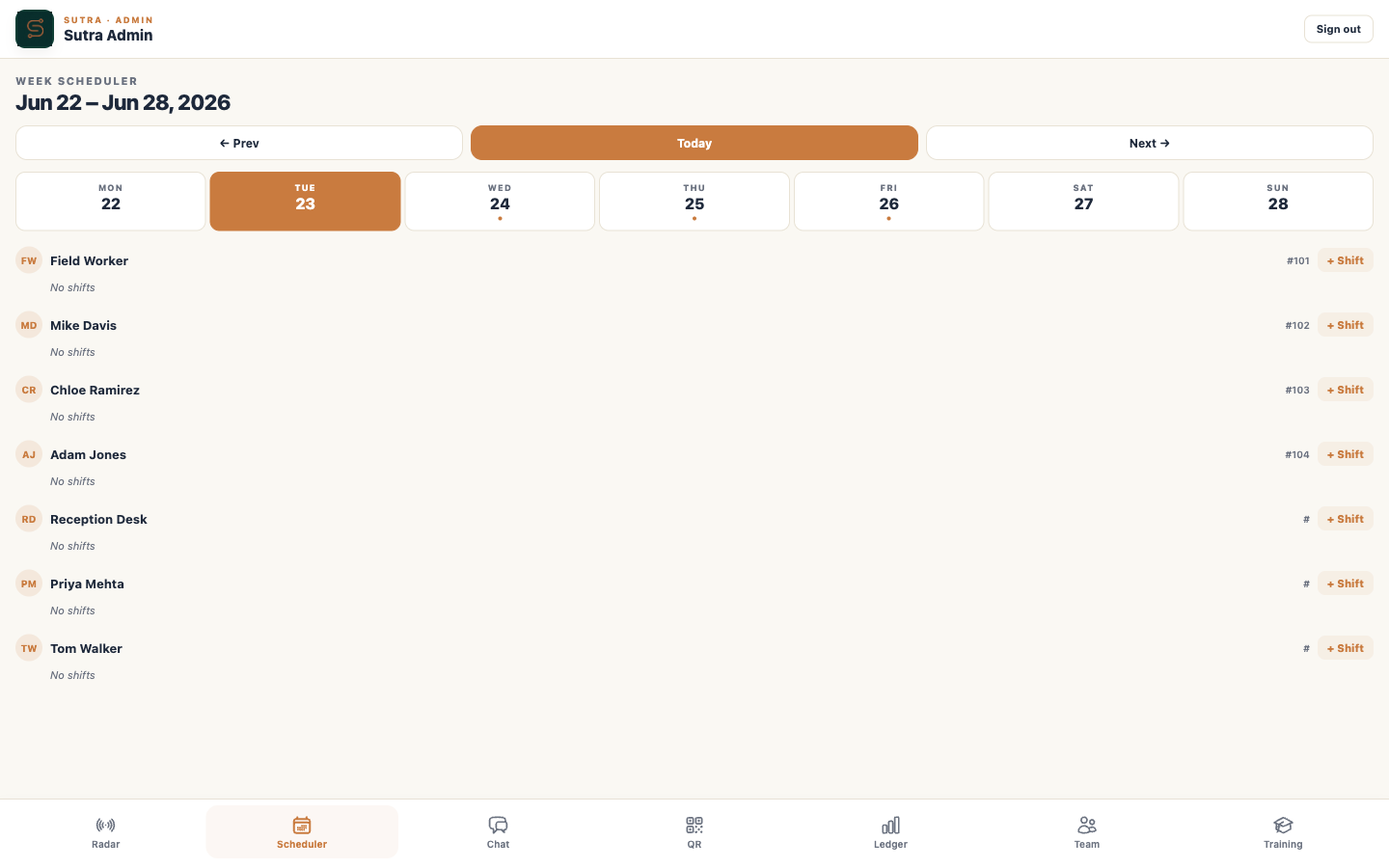
A field engineer opens Sutra on her phone. The notice board shows yesterday's safety briefing; she taps Acknowledged. Her shift roster shows the day's three jobs.
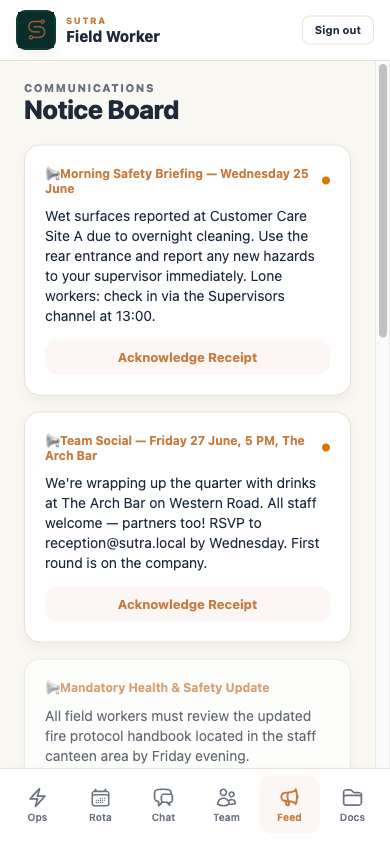 Notice Board
On site
She arrives at the first customer site, opens Sutra, taps clock-in. GPS confirms she's inside the geofence. Her timesheet starts; the admin radar shows her as live.
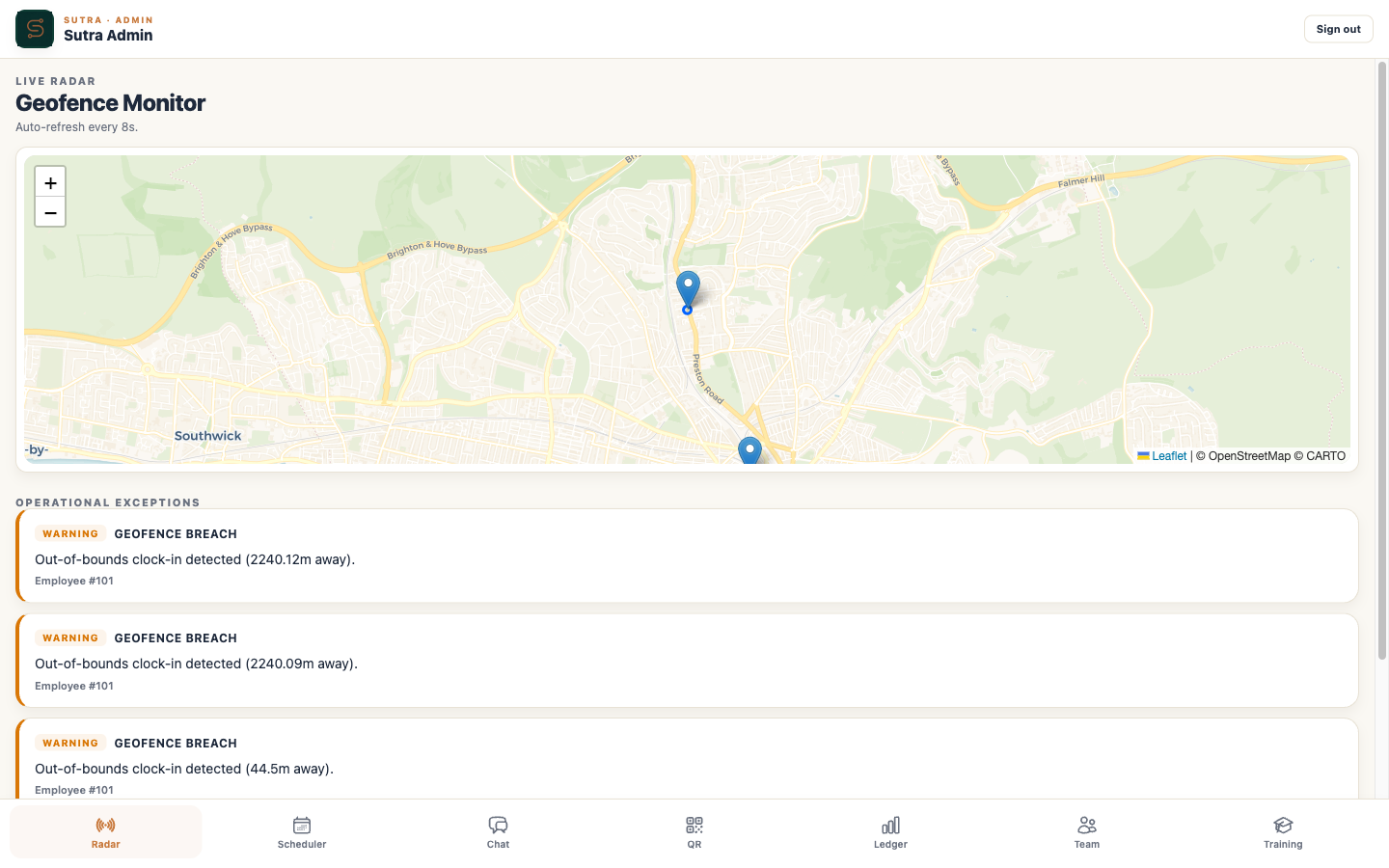
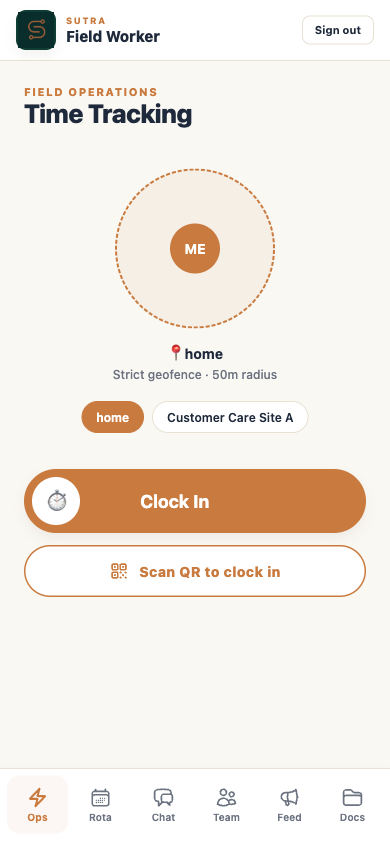 GPS Clock-in
A question for the supervisor
She opens chat, taps her supervisor's name, flags an unfamiliar piece of equipment. He responds within minutes — PAT test booked, red label applied.
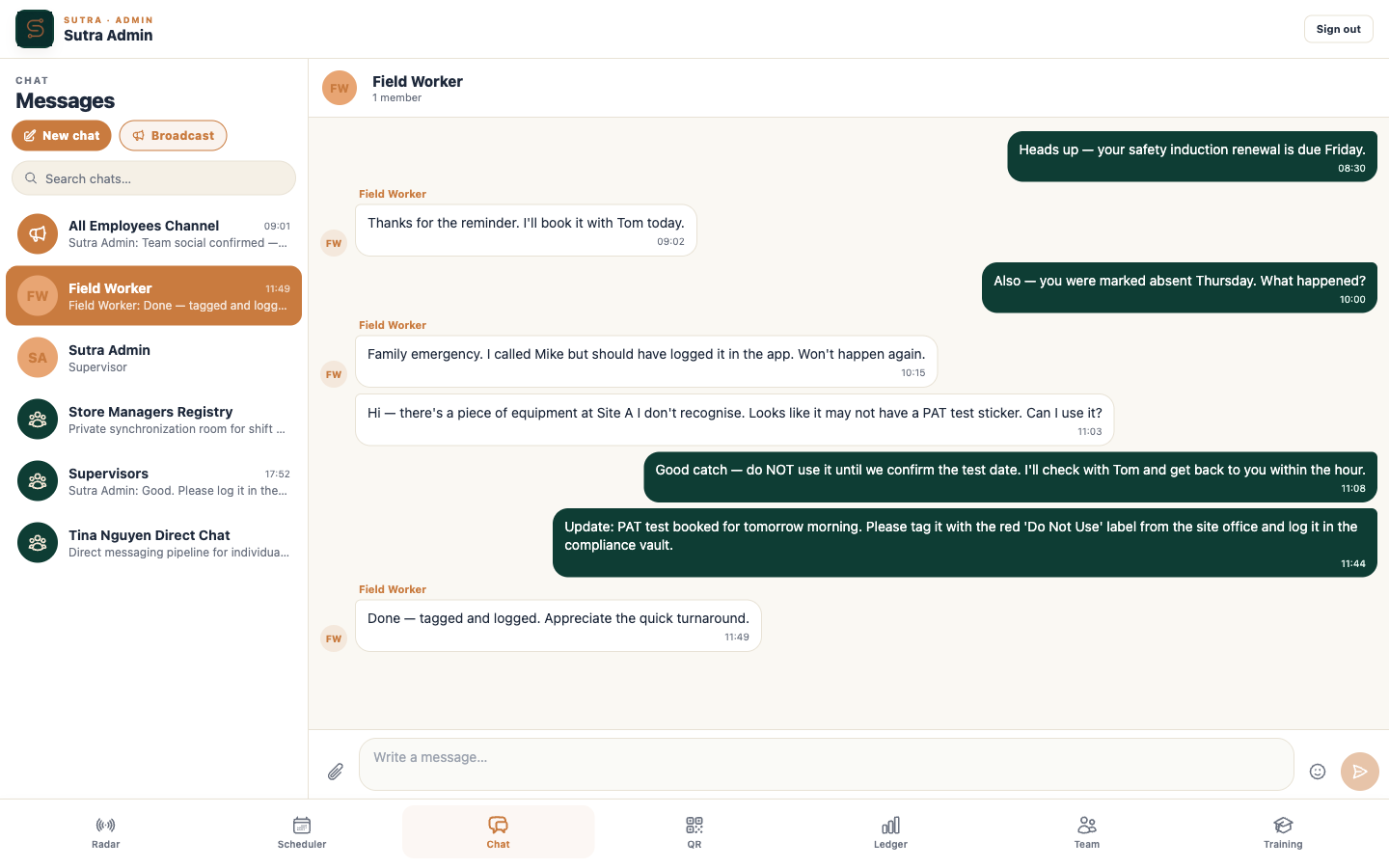 Team Chat
Off site
She steps outside the geofence to drive to the next location. Sutra auto-flags her clock-out; the admin's exception feed registers it.
Geofence RadarA clean weekly report
Admin opens the timesheets ledger — every clock-in, clock-out, duration, and location logged automatically across the whole team. No spreadsheet required.
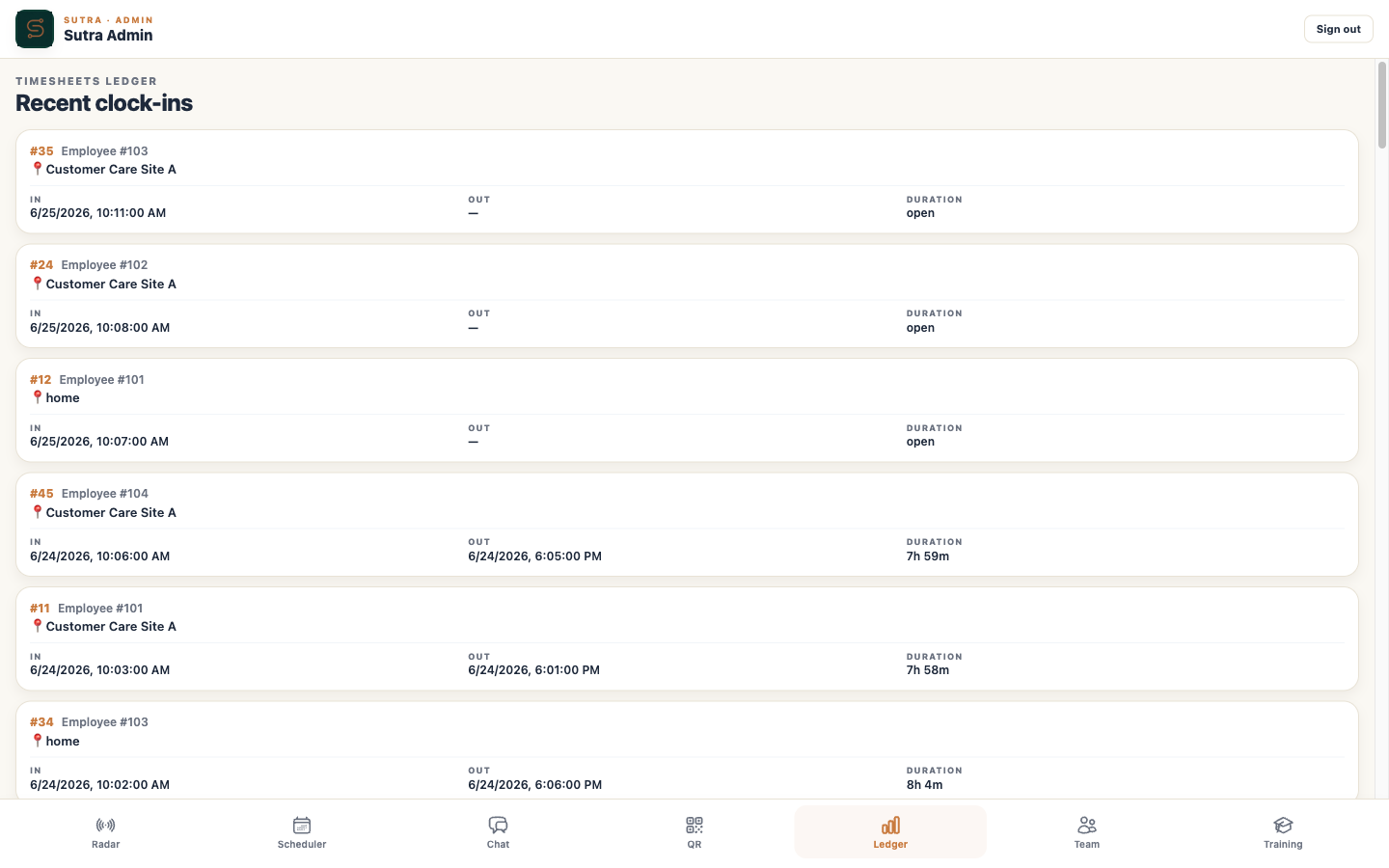 Timesheets Ledger
Experience Sutra in 30 seconds.
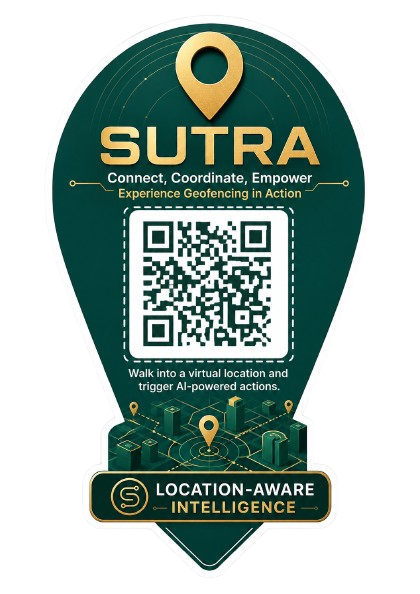
Point your phone at this code.
You'll be clocked into a live Sutra demo, watch the geofence track you, and clock out automatically when you step away. No app install, no signup.
Walk the full platform.
Sign in as a demo admin and walk through the full platform — radar, scheduling, chat, training, compliance. Same product your operations manager would use on day one.
Open the demo →Built for teams that don't sit at desks.
Field service & maintenance
Engineers, technicians, on-call crews
Retail & hospitality
Multi-site shift teams, event staff
Logistics & distribution
Drivers, warehouse, delivery
Healthcare & domiciliary care
Visiting nurses, carers, peripatetic staff
Construction & trades
Site crews, project teams
Events & exhibitions
Pop-up staff, booth teams, festival crews
Answers before the walkthrough.
Does my team need to install an app from the App Store?
Can it be branded as our own product?
What about workers in low-signal areas?
How is the data secured?
Can you migrate us from our current setup?
How does pricing work?
One thread. Every operation.
Sutra replaces a tangled stack of consumer tools with one operations engine that lives under your brand and runs on your team's phones.